
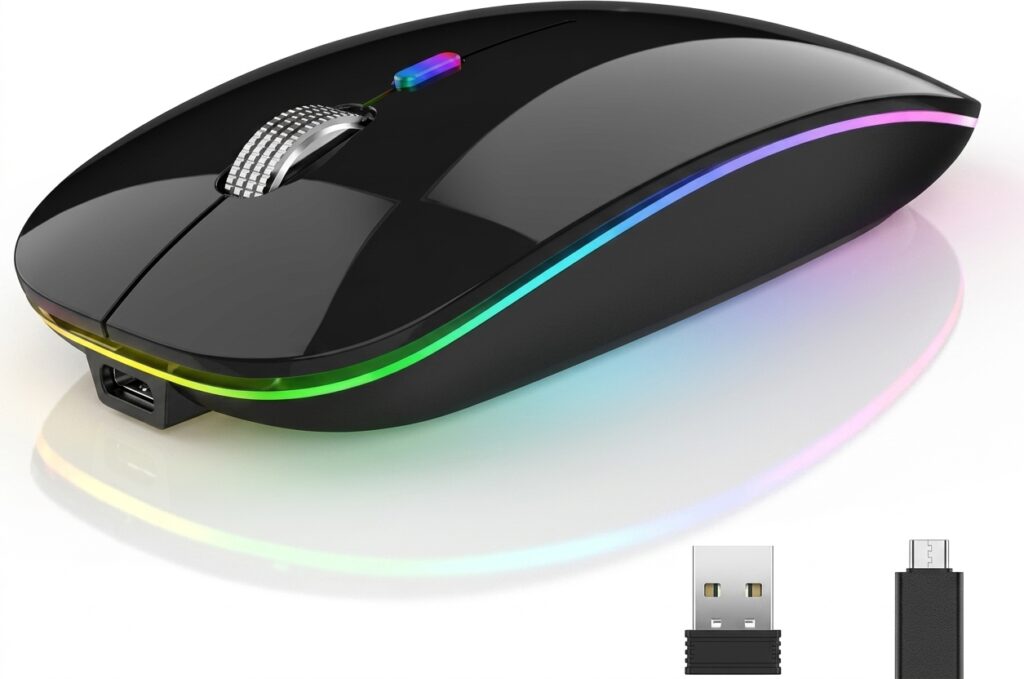

Califone 2.4 ghz wireless mouse is the Califone X-11, a compact black wireless computer mouse designed for everyday navigation. Product listings identify it as a three-button optical mouse with a scroll wheel and a 2.4 GHz wireless connection.
Instead of connecting to a computer through a mouse cable, the X-11 communicates wirelessly through its USB receiver. It uses one AA battery, which is included with the product according to current product listings.
Quick Answer
Is the Califone 2.4 GHz Wireless Mouse a good basic mouse?
Yes, it is designed as a simple everyday wireless mouse for laptops and desktop computers. Its main strengths are its silent-click buttons, optical sensor, scroll wheel, compact body, and advertised 32.8-foot wireless range.
It is not designed as a high-performance gaming mouse or an advanced multi-device productivity mouse. Its appeal comes from simplicity and ease of everyday use.
Califone 2.4 GHz Wireless Mouse Specifications
The following table brings the important specifications together in one place.
| Feature | Califone X-11 Details |
|---|---|
| Brand | Califone |
| Model | X-11 |
| Product type | Wireless computer mouse |
| Wireless technology | 2.4 GHz |
| Wireless range | Up to 32.8 feet |
| Tracking | Optical |
| Buttons | 3 |
| Button type | Silent click |
| Scroll control | 3D scroll wheel |
| Battery | 1 × AA |
| Battery included | Yes |
| Color | Black |
| Dimensions | 4 × 2.5 × 1.5 inches |
| Material listed by School Specialty | ABS |
| Connection | Wireless USB receiver |
| Orientation | Ambidextrous, according to B&H’s specifications |
| Warranty | Limited 1-year manufacturer warranty |
| Primary uses | School, office, laptop and desktop computing |
Specifications are based on current product listings and retailer/manufacturer-distributor information. Buyers should verify the exact package and compatibility before purchase.
Why Does 2.4 GHz Wireless Matter?
The califone 2.4 ghz wireless mouse uses the common 2.4 GHz radio band for its wireless connection.
For a mouse, this type of wireless connection provides freedom from a physical cable between the mouse and computer. That can make it easier to move the mouse around a desk or use a laptop from a more flexible position.
The advertised working range is 32.8 feet, which is substantially more distance than most people need for ordinary desk work.
For normal use, the bigger benefit is not reaching the maximum distance. It is having enough wireless freedom that the cable does not restrict your hand movement.
What Makes the Three Silent Buttons Useful?
One of the most distinctive features of the califone 2.4 ghz wireless mouse is its three silent-click button design.
Traditional mouse buttons can produce a noticeable clicking sound. That noise may not matter when working alone, but it can become distracting when many people share the same environment.
Silent buttons can be particularly useful in:
- Classrooms
- Libraries
- Computer labs
- Offices
- Study areas
- Shared workspaces
- Home offices
The product is specifically marketed with three silent click buttons, and School Specialty describes them as comfortable for desk or mobile use.
The third button also keeps the design simple. Instead of adding numerous programmable controls, the X-11 focuses on basic computer navigation.
How Does the Optical Sensor Work?
The mouse uses an optical sensor to detect movement.
Optical tracking is common in modern computer mice because it eliminates the need for an old-style mechanical tracking ball. The sensor monitors changes beneath the mouse and translates those movements into cursor movement on the screen.
For ordinary tasks such as:
- Browsing websites
- Selecting files
- Editing documents
- Navigating presentations
- Working with spreadsheets
- Using educational software
an optical mouse is generally a practical choice.
The X-11 is therefore aimed at general computer navigation rather than specialized precision gaming.
Is the Scroll Wheel Easy to Use?
The califone 2.4 ghz wireless mouse includes a 3D scroll wheel designed for smooth navigation.
A scroll wheel is essential for modern computer use because many websites, documents, spreadsheets, and applications require frequent vertical navigation.
The wheel allows users to:
- Scroll through long webpages
- Move through documents
- Navigate spreadsheets
- Review presentations
- Browse folders
- Move through menus
The term “3D wheel” appears in product descriptions, but buyers should not interpret it as a gaming-style multidirectional control system unless the seller specifically confirms that functionality.
How Far Can the Califone Mouse Work?
The califone 2.4 ghz wireless mouse is advertised with a 32.8-foot working range.
That distance gives users considerable freedom compared with a wired mouse.
For example, the range could be useful when a computer is connected to a larger display and the user wants to operate the computer from farther away.
However, wireless range can vary in real-world conditions. Walls, furniture, other wireless equipment, interference, and the computer’s USB receiver position can affect performance.
Therefore, 32.8 feet should be treated as the advertised operating range rather than a guarantee that every environment will deliver the same result.
What Battery Does the Mouse Use?
The califone 2.4 ghz wireless mouse runs on one AA battery, and current product listings state that the battery is included.
This approach has a clear advantage: users can replace the battery instead of waiting for an internal rechargeable battery to charge.
For schools and offices, replaceable AA power can also simplify maintenance because standard batteries are widely available.
The trade-off is that users need to keep a spare battery available if they rely on the mouse heavily.
Battery Advantages
- Simple replacement
- No charging cable required
- Battery included with the product
- Easy to keep spare batteries available
- Useful for shared computer environments
Battery Limitation
Unlike a rechargeable mouse, the X-11 requires a replacement battery once its existing battery runs out.
Is the Mouse Comfortable for Everyday Work?
Comfort depends on hand size, grip style, and personal preference.
The mouse measures approximately 4 inches long, 2.5 inches wide, and 1.5 inches high.
That places it in a compact, straightforward size range.
The relatively simple shape should suit many everyday users, while B&H lists the X-11 as ambidextrous.
That is useful in shared environments because users do not need a mouse designed exclusively for right-handed or left-handed operation.
Still, anyone with particularly large hands may prefer a larger ergonomic mouse for extended daily use.
Is the Califone X-11 Good for Students?
Yes. The product has several characteristics that make it well suited to educational environments.
School Specialty specifically markets the X-11 for classroom use and lists it under educational technology computer accessories. It also identifies Califone as a brand focused on educational technology and classroom use.
For students, useful features include:
- Silent clicking
- Simple three-button layout
- Wireless operation
- Optical tracking
- Scroll wheel
- Compact size
- Replaceable AA battery
- No complicated software controls
A simple mouse can actually be an advantage in a classroom. Students can focus on their assignments instead of learning unnecessary buttons and controls.
Is It Good for Teachers and Presenters?
The califone 2.4 ghz wireless mouse can also work well for teachers, instructors, and office presenters who need basic wireless cursor control.
The wireless design gives the user more freedom to move around a workstation. The advertised 32.8-foot range can provide additional flexibility when a computer is connected to a larger display.
However, users who need dedicated presentation controls should consider a presentation remote instead. A standard mouse does not necessarily provide the same slide-navigation or presentation-specific functions.
How Does It Compare With a Wired Mouse?
The biggest difference is freedom of movement.
| Feature | Califone X-11 | Typical Wired Mouse |
|---|---|---|
| Cable | No | Yes |
| Wireless | 2.4 GHz | No |
| Optical tracking | Yes | Usually |
| Silent buttons | Yes | Depends |
| Scroll wheel | Yes | Usually |
| Battery required | 1 AA | No |
| Desk freedom | High | Limited by cable |
| Setup | USB wireless receiver | USB cable |
| Maintenance | Battery replacement | Usually minimal |
| Classroom suitability | Strong | Depends on environment |
A wired mouse has one major advantage: it does not need batteries.
The X-11 has the opposite advantage. It removes the cable and gives the user more freedom around the computer.
What Are the Main Advantages?
The califone 2.4 ghz wireless mouse focuses on practical features rather than unnecessary complexity.
Key benefits
- Silent clicking: Helps reduce distracting button noise.
- Wireless operation: Eliminates the mouse cable.
- 32.8-foot range: Provides substantial movement freedom.
- Optical tracking: Supports everyday cursor control.
- Three buttons: Keeps operation simple.
- Scroll wheel: Makes document and webpage navigation easier.
- AA battery: Uses an easily replaceable power source.
- Compact body: Fits comfortably into many computer setups.
- Ambidextrous design: Can suit both left- and right-handed users according to B&H’s specifications.
These features make the product particularly suitable for basic computing rather than specialized performance applications.
What Are the Limitations?
No mouse is ideal for every user.
The X-11 has a deliberately simple design, which means it does not provide the advanced features found on premium productivity or gaming mice.
Potential limitations include:
- Only three buttons
- No rechargeable internal battery
- No Bluetooth listed in the manufacturer’s primary product description
- No advanced programmable controls
- No gaming-focused sensor features
- No extensive ergonomic adjustment
- Requires a compatible USB receiver connection
The califone 2.4 ghz wireless mouse makes more sense for someone who values simplicity than someone looking for extensive customization.
Does It Use Bluetooth?
This is an important buying detail.
Current product information identifies the X-11 as a 2.4 GHz wireless mouse using a USB receiver. B&H specifically lists its connection as a 2.4 GHz RF USB-A dongle.
One Target listing displays Bluetooth-related category information, but the product description and other retailer specifications identify the connection as 2.4 GHz wireless.
For that reason, buyers should not assume that the X-11 can connect directly through Bluetooth.
If your laptop or computer has only USB-C ports, you may need a compatible USB-A adapter or hub for the wireless receiver.
How Do You Set Up the Mouse?
Setting up the califone 2.4 ghz wireless mouse should be straightforward.
Basic setup process
- Insert the included AA battery.
- Locate the wireless USB receiver.
- Plug the receiver into a compatible USB port.
- Turn on or activate the mouse if the model includes a power switch.
- Allow the computer to recognize the device.
- Move the mouse to confirm cursor tracking.
- Test the left, right, and middle controls.
- Test the scroll wheel.
Because the product uses a USB wireless receiver, setup does not require the user to manage a traditional mouse cable.
What If the Mouse Does Not Work?
If the mouse does not respond, check the simplest possibilities first.
1. Check the battery
Make sure the AA battery is installed correctly. If the mouse still does not respond, try a fresh battery.
2. Check the USB receiver
Confirm that the receiver is firmly connected to the computer.
3. Try another USB port
A different USB port can help identify whether the issue is related to the original port.
4. Move closer
If the cursor becomes intermittent at a distance, move the mouse closer to the receiver and check whether performance improves.
5. Restart the computer
A restart can resolve temporary USB or device-recognition problems.
6. Check the operating system
B&H lists full-functionality OS support for Windows in its specifications, so buyers using other operating systems should verify compatibility before purchasing.
Who Should Buy This Mouse?
The califone 2.4 ghz wireless mouse is a strong fit for users who want a basic, quiet, cable-free pointing device.
It makes particular sense for:
- Students
- Teachers
- Schools
- Computer labs
- Libraries
- Office workers
- Home-office users
- Shared workstations
- Basic laptop users
- Users who dislike loud mouse clicks
It is less suitable for professional gamers, advanced content creators, or users who require multiple programmable buttons.
Is It Worth Buying?
For straightforward computer navigation, the X-11 offers a practical feature set.
The combination of silent buttons, optical tracking, a scroll wheel, wireless operation, and an advertised 32.8-foot range covers the needs of many everyday users. School Specialty also positions the product toward classroom and educational technology environments.
Its value depends heavily on the current selling price.
If you need a basic wireless mouse and appreciate quiet clicking, it can be a sensible choice. If you need Bluetooth, rechargeable power, advanced customization, or gaming performance, another model will likely fit better.
Califone 2.4 GHz Wireless Mouse: Best Use Cases
Here is a quick decision guide:
| User | Suitability | Why |
|---|---|---|
| Student | Excellent | Simple and quiet |
| Teacher | Excellent | Wireless and low-noise |
| Classroom | Excellent | Quiet operation |
| Office worker | Very good | Basic productivity |
| Home user | Very good | Simple everyday control |
| Library | Excellent | Silent buttons |
| Gamer | Limited | Few buttons and basic design |
| Graphic designer | Limited | Lacks advanced precision controls |
| Heavy productivity user | Moderate | Limited customization |
| Bluetooth-only laptop | Limited | USB receiver required |
This makes the mouse easiest to recommend when the priority is simple, quiet, wireless computer control.
Frequently Asked Questions
1. What is the model number of the Califone 2.4 GHz Wireless Mouse?
The model is Califone X-11. School Specialty and B&H both identify the product as X-11.
2. How many buttons does the Califone X-11 have?
It has three buttons, along with a scroll wheel. The buttons use a silent-click design intended to reduce distracting noise.
3. How far does the Califone wireless mouse work?
The advertised working range is 32.8 feet. Actual range can vary depending on the surrounding environment and wireless interference.
4. What battery does the mouse use?
The X-11 uses one AA battery, and current listings state that the battery is included.
5. Is the Califone X-11 Bluetooth?
The available technical listings identify it as a 2.4 GHz RF wireless mouse with a USB-A receiver, rather than a conventional Bluetooth mouse.
6. Is the Califone X-11 good for classrooms?
Yes. Its quiet buttons, simple controls, wireless design, and classroom-focused positioning make it well suited to educational environments. School Specialty specifically lists it among educational technology accessories.
Final Verdict
The califone 2.4 ghz wireless mouse is built around a clear idea: make everyday computer navigation quiet, simple, and wireless.
Its three silent buttons, optical sensor, scroll wheel, 2.4 GHz connection, 32.8-foot advertised range, compact dimensions, and single AA battery provide the essential features many students, teachers, office workers, and home users need.
The X-11 is not an advanced productivity or gaming mouse, and buyers should pay close attention to its USB receiver requirement. But if your priority is a straightforward wireless mouse that minimizes clicking noise, the Califone X-11 deserves consideration.
Before buying, check your computer’s available USB ports, confirm the current seller’s specifications, and compare the current price with competing wireless mice. That simple check will help you decide whether the X-11 offers the right balance of simplicity, quiet operation, and everyday usability.5